Payday Leftover
Start with the cash balance you track in the app. Subtract bills due before the next payday, planned savings contributions and your protected buffer to estimate what remains available. It is a planning number—not a live bank balance.
 A U.S. paycheck cash-flow planner
Payday Compass turns the question “How much can I spend before I get paid again?” into a practical plan—after bills, planned savings and a buffer are set aside.
See how it works Read the privacy policy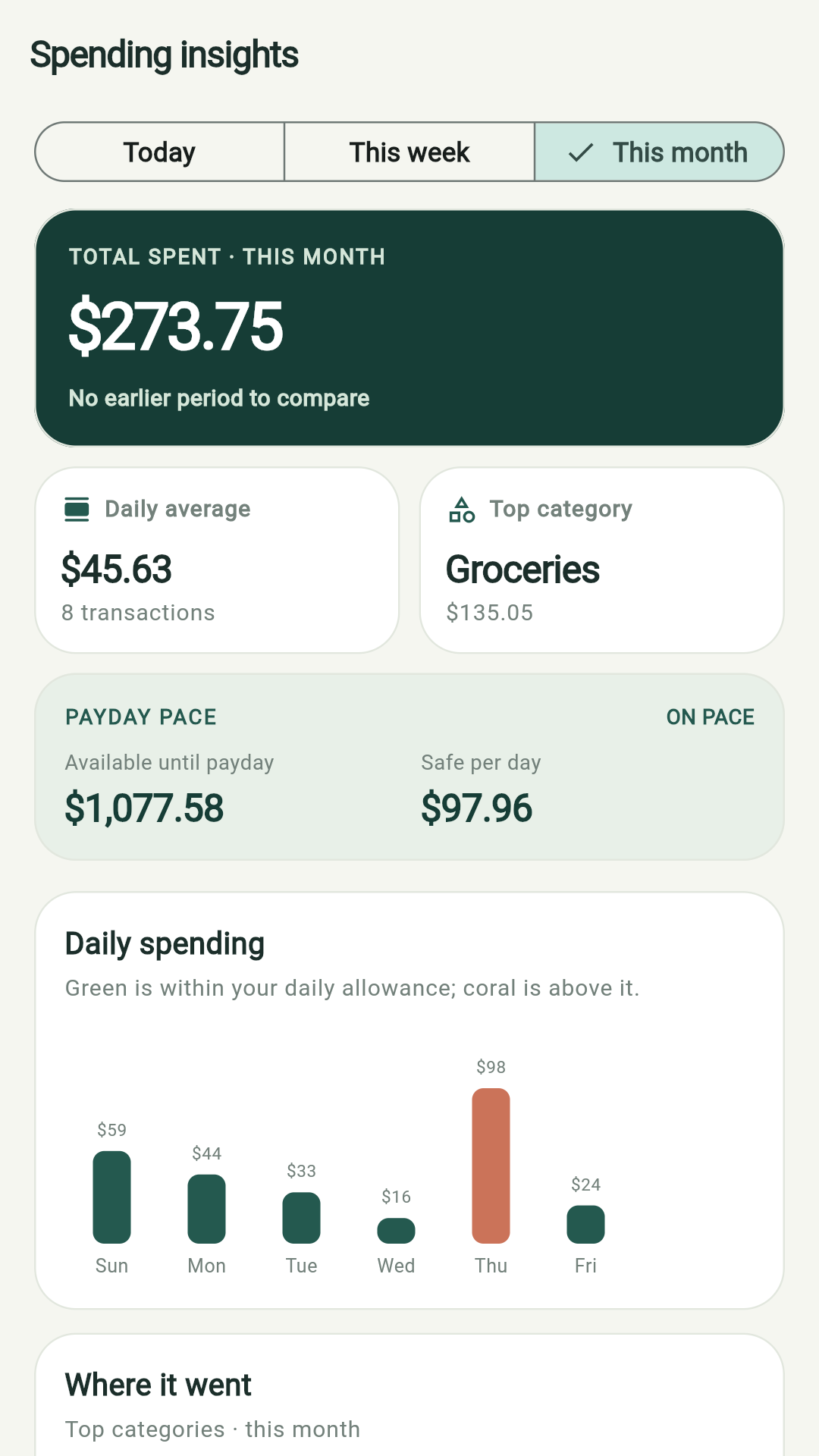
Availability: A public Google Play listing is not live yet, so this page does not include a download button. It will be added once the app has a public store listing.
Many budgeting apps focus on monthly totals. Payday Compass focuses on the days between paychecks: it helps you account for bills that are due soon, savings you have already planned, and the cash you want to keep untouched.
Start with the cash balance you track in the app. Subtract bills due before the next payday, planned savings contributions and your protected buffer to estimate what remains available. It is a planning number—not a live bank balance.
Compare your recent seven-day average with the approximate daily amount available through the next payday. A clear pace makes it easier to notice when spending is running ahead of the plan.
See total spending, the change from a comparable period, daily average, top category, category shares and daily bars. The chart is there to answer “Where did the money go?” without burying the key payday number.
Plan recurring bills and a per-paycheck savings contribution. Receipt scanning can suggest a merchant and total on your device; review and edit the result before saving.
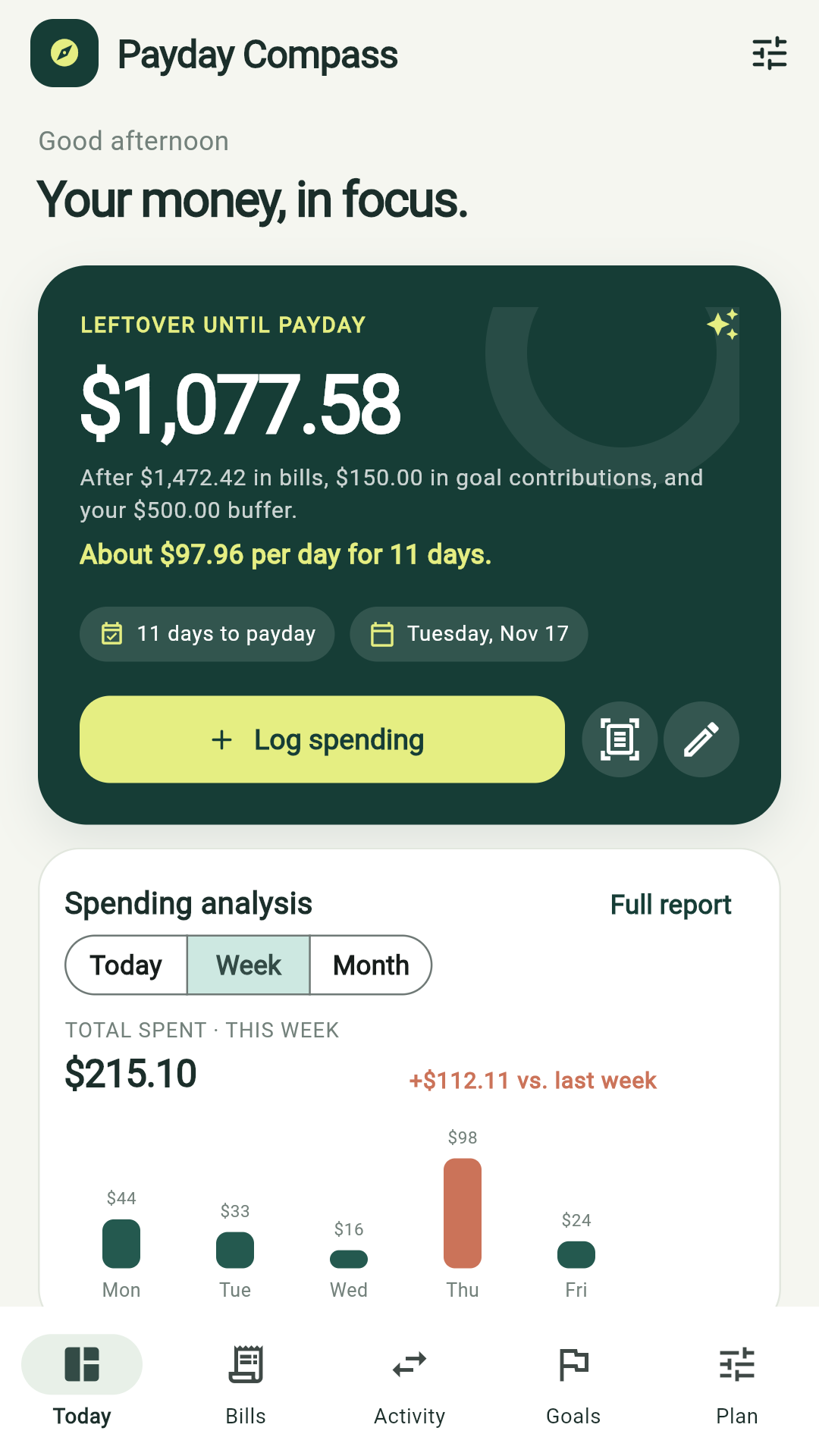
Payday Compass is designed for people who want a quick check before an everyday purchase, not another complicated financial dashboard. Add or import transactions, check the spending chart, and see how upcoming bills or a savings goal affect the remaining plan.
The CFPB’s budgeting guidance also recommends tracking spending and when bills are due, because the timing of income and expenses can make a monthly budget feel tight even when the totals appear workable. Payday Compass applies that cash-flow perspective to the next payday.
There is no bank login or automatic bank connection. You can record spending yourself or import a supported U.S. bank CSV. The app flags likely duplicate transactions and suggests editable categories; imported activity updates spending history and pace, but does not change the tracked cash balance automatically.
Your paycheck plan, bills, expenses, goals and check-ins are stored on your device. The app does not require an account or operate a bank-sync server. Google Mobile Ads and its consent flow are separate from those records; see the privacy policy for details.
No. It has no bank connection or account sign-in. You can enter spending in the app or import a supported bank CSV; suggested categories can be reviewed and edited.
It starts with the cash balance you track in the app and subtracts your protected buffer, bills due before the next payday and planned savings contributions. It is a planning estimate, not a bank balance.
Yes. Spending insights include today, this week and this month, with comparable-period changes, daily averages, category shares and daily spending bars.
A public Google Play listing is not available yet. This page will add a store link when a public listing is live.
Related: estimate a U.S. take-home paycheck · browse all mobile apps · CFPB budgeting guidance.